


Application Description
Kiddle App is a visual search engine made for kids, creating a safe space for web, image, and video searches. It presents age-appropriate content that is reviewed by editors to guarantee safety. Thanks to its kid-friendly design and educational focus, Kiddle makes online discovery secure and fun for young learners.
Explore Kiddle App:The Ultimate Safe Search Engine for Kids
In today’s digital world, giving children safe and suitable internet access is a major concern for parents and educators. Kiddle, a visual search engine built for kids, solves this by blending safety with learning. Backed by Google and carefully moderated by editors, Kiddle offers a secure environment where children can confidently search the web, images, and videos. This guide explores the features and advantages of Kiddle, showing how it improves your child’s online time while ensuring their safety.
What is Kiddle?
Kiddle App is a kid-focused search engine that offers a child-friendly option to standard search tools. It uses Google’s search technology to deliver results that are relevant and safe. Unlike regular search engines, Kiddle is visually appealing and simple, helping kids navigate and find information more easily.
Key Features of the Kiddle App
Visual Search Engine
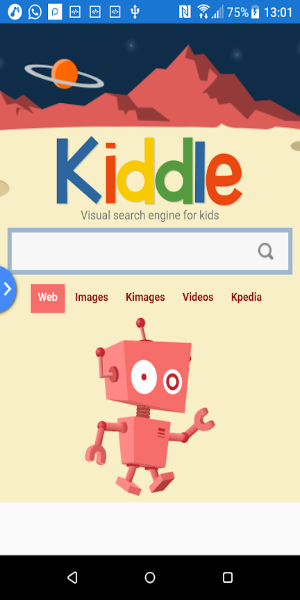
Kiddle’s design is colorful and engaging, with intuitive graphics that attract children. The visual search engine presents results in a way that’s easy for kids to grasp, which is helpful for those who find text-heavy results challenging. This visual method lets children spot useful information quickly and improves the overall experience.
Safe Search Results
Kiddle’s key strength is its dedication to safety. Editors check all search results to confirm they are appropriate for children. Thanks to this careful review process, parents can trust the content their kids see is both secure and educational. The app blocks inappropriate material, making browsing stress-free for kids and parents alike.
Child-Friendly Interface
Kiddle’s interface is designed for kids. The layout is clean and simple, featuring large icons and clear text. This child-centered approach helps children navigate easily and build research skills while keeping them focused on content that fits their age.
Web, Image, and Video Search
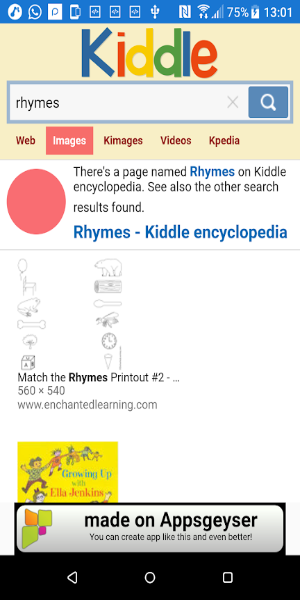
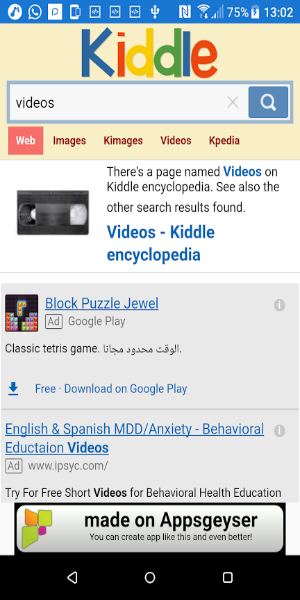
Kiddle supports full search across web pages, images, and videos. Kids can use it to find relevant facts, view educational images, and watch fun, kid-safe videos. All results are customized for young users to be safe and interesting.
Educational Content
The app emphasizes educational resources, giving children materials that aid learning and growth. From articles to informative videos, Kiddle encourages kids to learn about new subjects in an interactive and enjoyable style. This focus on education matches the app’s goal of supporting development while making online time positive.
Benefits of Using Kiddle
Enhanced Online Safety
Kiddle greatly increases safety for kids online. The app’s filtering and reviewed results reduce the chance of seeing inappropriate content. Parents can be confident that their children are accessing safe, age-suitable information.
User-Friendly Experience
The app’s design ensures that even young kids can use the search engine without trouble. Bright visuals, large icons, and simple search options make it usable for children at any digital skill level. This simplicity promotes independent exploration while keeping content safe.
Support for Learning and Exploration
Kiddle helps kids learn and discover by offering plenty of engaging and informative content. It sparks curiosity and helps children explore various topics in an enjoyable and enriching way. By combining visuals and educational resources, Kiddle nurtures a passion for learning in a safe space.
Peace of Mind for Parents
Kiddle gives parents confidence by managing and supervising what their children see online. Since the app focuses on safety and suitable content, parents can trust the search results. This reassurance lets parents support their children’s online curiosity without worry.
How to Get Started with Kiddle
Starting with Kiddle is easy. Follow these steps to help your child begin using the app:
Download and Install
Kiddle can be downloaded on multiple devices. The website 40407.com is a trusted source; you can search for "Kiddle" there to get the app. Installation is fast and simple, so your child can start exploring quickly.
Set Up User Preferences
After installation, you can adjust user preferences to match your child's needs and your family’s internet safety standards.
Introduce the App to Your Child
Teach your child how to use Kiddle, pointing out its features and how to search. Let them explore and use the app for learning and fun. Offer tips on finding information and moving through different parts of the app.
Monitor Usage
Even though Kiddle provides a protected environment, it’s good to keep an eye on your child’s online activity. Check their searches and learning content together to encourage safe habits and support their growth.
Free Download Kiddle App APK
Kiddle App is an outstanding tool for children’s internet discovery, merging Google’s search capabilities with a focus on safety and education. With its visual search engine, editor-reviewed results, and child-focused design, Kiddle App offers a secure platform for young users to discover the web, images, and videos. By putting safety and learning first, the app serves as a great resource for parents who want to enrich their kids’ education while keeping them safe online. Download Kiddle App now and give your child the chance to learn, explore, and develop in a protected digital world.
Kiddle App Screenshots
Reviews
Post Comments
Trending Games
Trending apps





![A Father’s Sins – Going to Hell [Ch. 7 Public] By Pixieblink](https://imgs.39man.com/uploads/67/1719578270667eae9eb6a75.jpg)






Topics
More