


Application Description
Microsoft Excel: Spreadsheets, a core component of the Microsoft Office suite, is a robust spreadsheet program extensively utilized for data analysis, financial modeling, and handling substantial numerical datasets. It empowers users to create budgets, interpret data, design charts and graphs, and execute complex calculations simply.

Key Features of Microsoft Excel: Spreadsheets
Excel delivers numerous features that are essential for both personal and business tasks. Key capabilities include:
- A versatile grid layout for structuring data into rows and columns.
- Multiple data input formats, such as text, numerals, dates, and formulas.
- Advanced calculation features, including formulas and functions, to automate data processing.
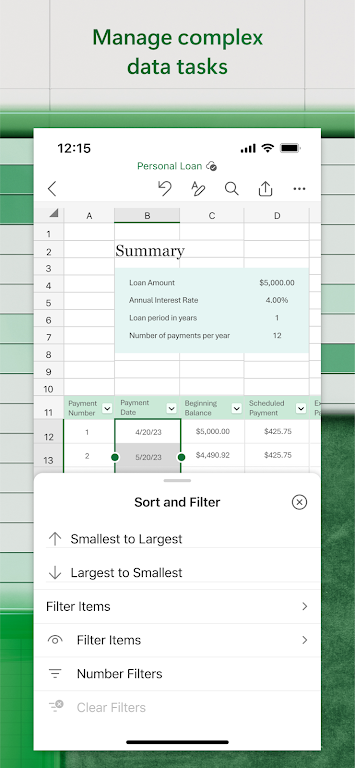
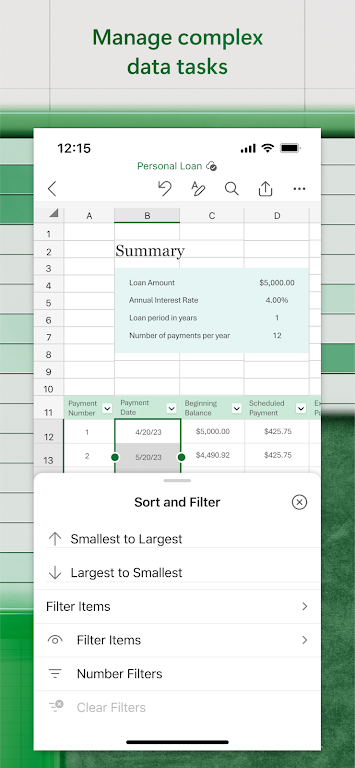
- Sorting and filtering tools for better data organization and insight extraction.
- Professional data analysis options like pivot tables and what-if scenario tools.
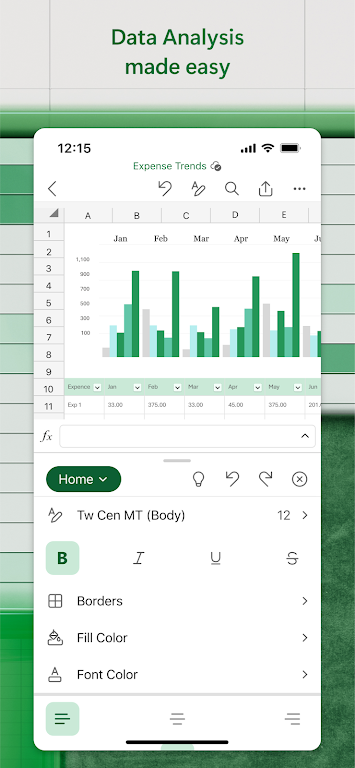
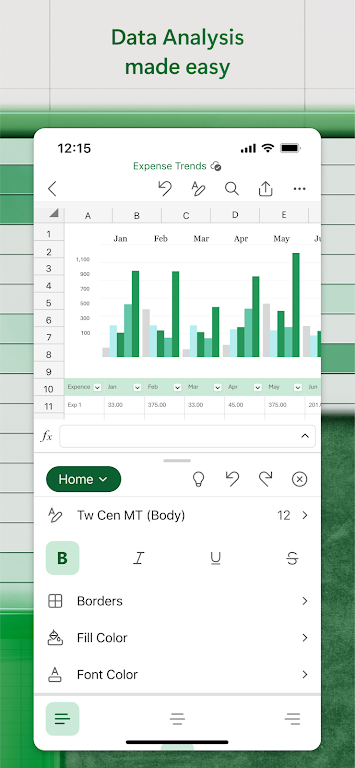
- Dynamic chart and graph generation for visualizing data patterns effectively.
- Real-time collaboration, letting several users edit the same file at once.
Using Excel for Data Analysis
Microsoft Excel: Spreadsheets is particularly strong in data analysis. Its user-friendly design lets you enter, organize, and compute data with built-in formulas for quick insights. Pivot tables offer a powerful way to examine and summarize extensive datasets without any programming.
Creating Visualizations
Transform basic data into engaging visual narratives using Excel's charts, graphs, and sparklines. Each visualization can be thoroughly tailored to present your information clearly and persuasively.
Collaboration and Sharing
For teamwork, Excel supports shared spreadsheet access and simultaneous real-time editing. This simplifies group project coordination, change monitoring, and version history management.
Integrating with Other Applications
Microsoft Excel: Spreadsheets works smoothly with other Microsoft Office tools like Word and PowerPoint, making it easy to include spreadsheet information in reports or slides. It also accommodates various import and export formats for broad system compatibility.
Support and Learning Resources
Comprehensive support for Excel is available via online guides, training modules, and an active user community. Many external books, courses, and add-ons are also accessible to help you master the software and expand its utility.
Conclusion
Microsoft Excel: Spreadsheets is a flexible, all-in-one solution vital for any data-related work. With its extensive functionality and intuitive design, it serves users at every skill level across diverse professions. From financial oversight and project scheduling to intricate data evaluation, Excel provides the capabilities required for productive outcomes.
Microsoft Excel: Spreadsheets Screenshots

Reviews
Post Comments
Trending Games
Trending apps




![A Father’s Sins – Going to Hell [Ch. 7 Public] By Pixieblink](https://imgs.39man.com/uploads/67/1719578270667eae9eb6a75.jpg)







Latest Articles
More


Ragnarok X Tops 20M Global Players
Oct 05,2026
Mech Arena – F2P Gear Hub Guide
Oct 02,2026