
Application Description
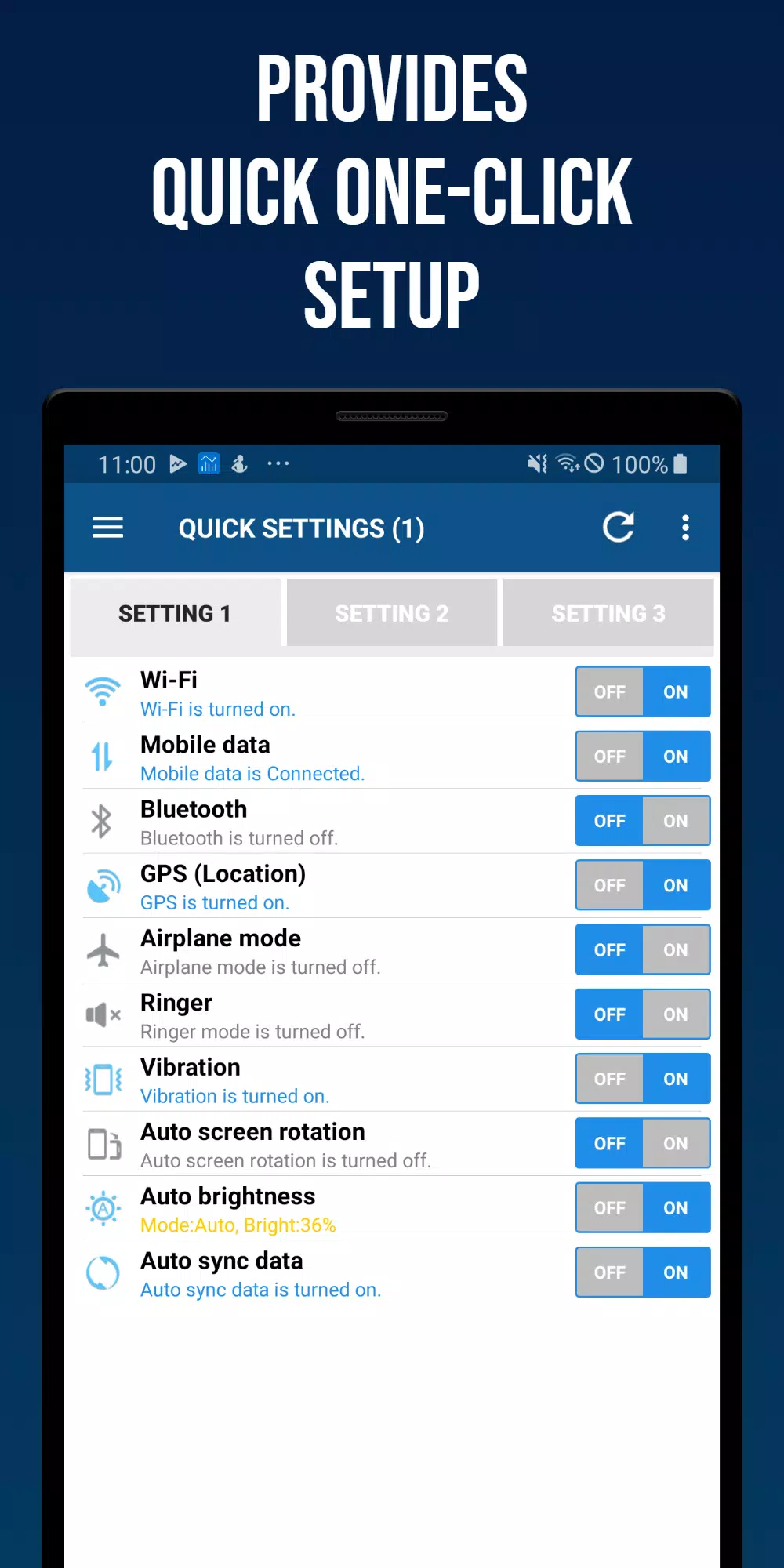
Simple and fast setup - control Wi-Fi, mobile data, Bluetooth, GPS, ringtone, vibration, and brightness with ease.
Smart Quick Settings was created to meet the needs of users who want to manage their Android system settings quickly and easily across different devices and versions, featuring an optimized UI/UX.
Settings that can be adjusted directly within the app are developed and provided in-house.
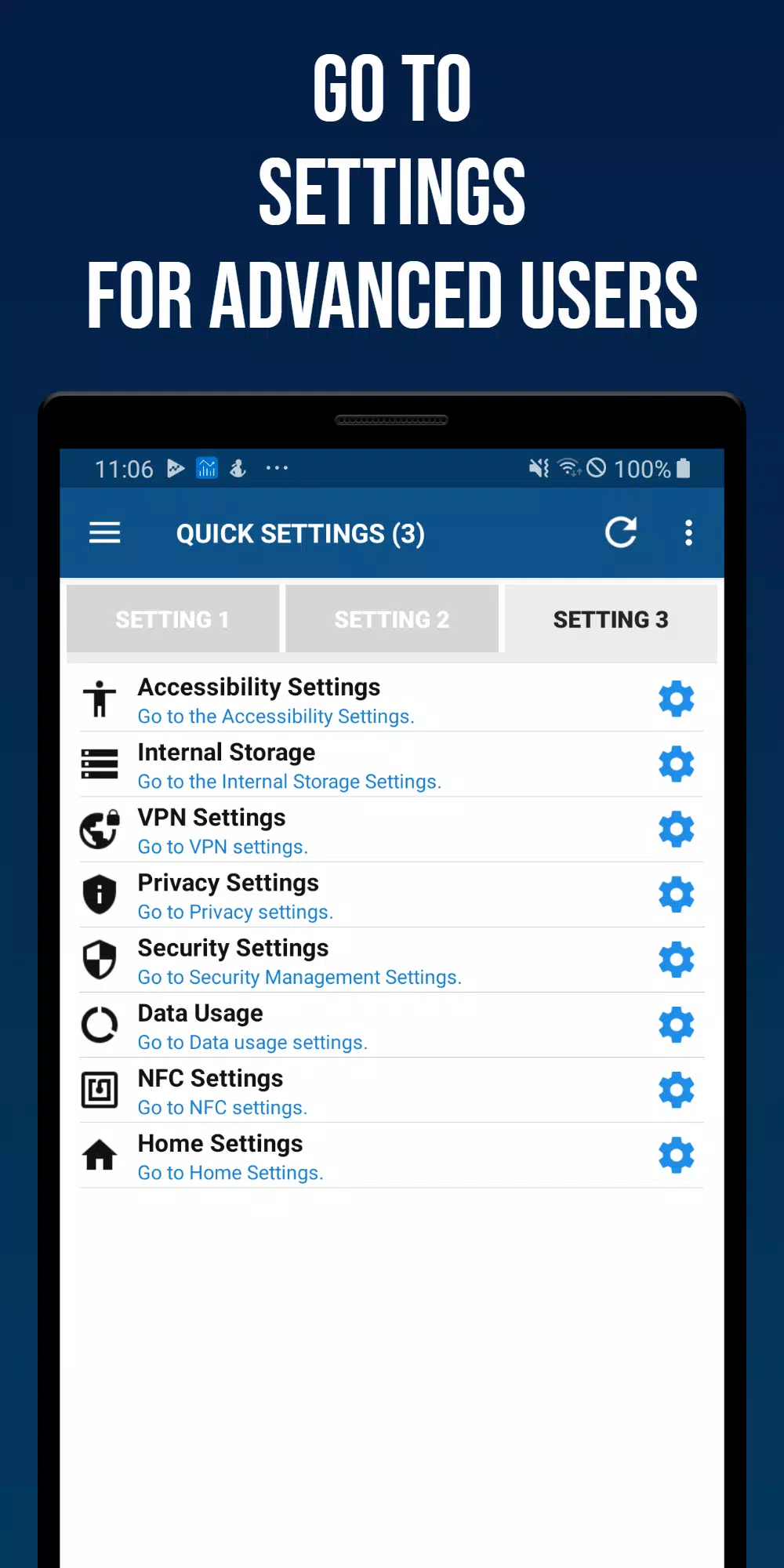
For settings that require the device's native menu, the app supports a quick and seamless connection to the appropriate system page.
It also includes a feature to easily check the current status of each setting.
Valuing user experience, the Smart Quick Settings app has been under continuous development for over ten years, thanks to the ongoing support and interest from our users.
■ Main features of the Smart Quick Settings app
- Wi-Fi
Check your Wi-Fi status and get a direct link to its settings.
- Mobile Data
Check your mobile data (3G, LTE) status and get a direct link to its settings.
- GPS
Check your GPS reception status and get a direct link to its settings.
- Flight Mode
Check your flight mode status and get a direct link to its settings.
- Ringtone Settings
Turn your ringtone on or off. (Includes detailed sound settings)
- Vibration Settings
Switch between vibration and sound modes. (Includes detailed vibration settings)
- Bluetooth
Turn Bluetooth on or off and get a direct link to its settings.
- Screen Auto Rotation
Enable screen auto-rotation or lock the screen orientation.
- Screen Auto Brightness
Enable auto-brightness or adjust the screen brightness manually.
- Auto Sync
Turn auto-sync on or off.
- Tethering and Mobile Hotspot
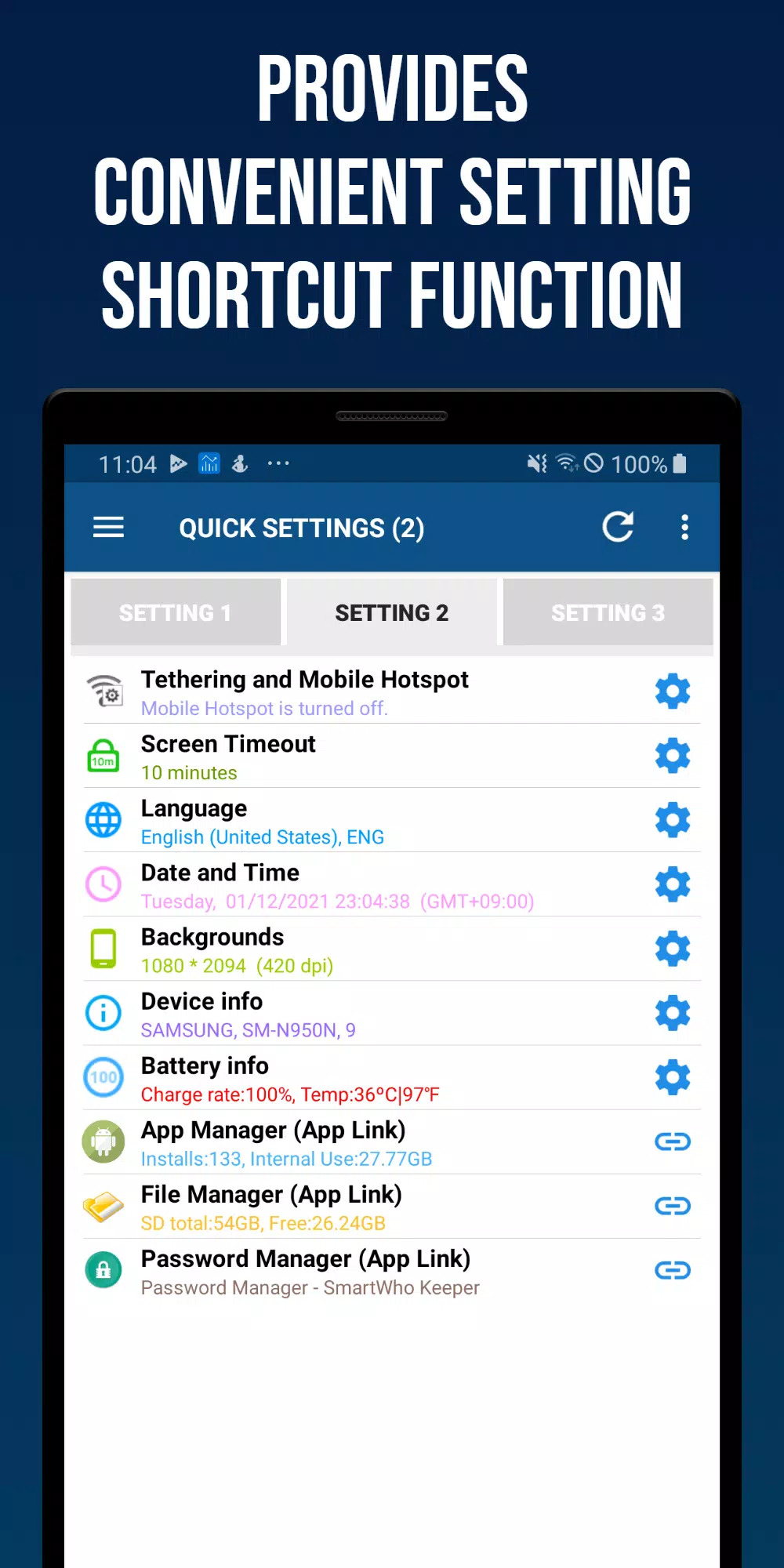
Get quick links to tethering and mobile hotspot settings.
- Screen Auto-Off Time
Check the screen timeout duration and get a direct link to its settings.
- Language
Check your device's current language and get a direct link to language settings.
- Date and Time
Check automatic time synchronization, change the time zone, modify the date/time format, and get a direct link to settings.
- Wallpaper (lock or background)
Get a quick link to change your home screen or lock screen wallpaper.
- Battery Information
View battery charge level and temperature, with a direct link to battery settings.
- Device Information
View manufacturer, device name, model number, and Android version.
- App Manager
Displays the number of installed apps and internal memory usage. Launches SmartWho's application management tool, Smart App Manager, when tapped.
- Password Manager
Launches Password Manager, a password management app by SmartWho.
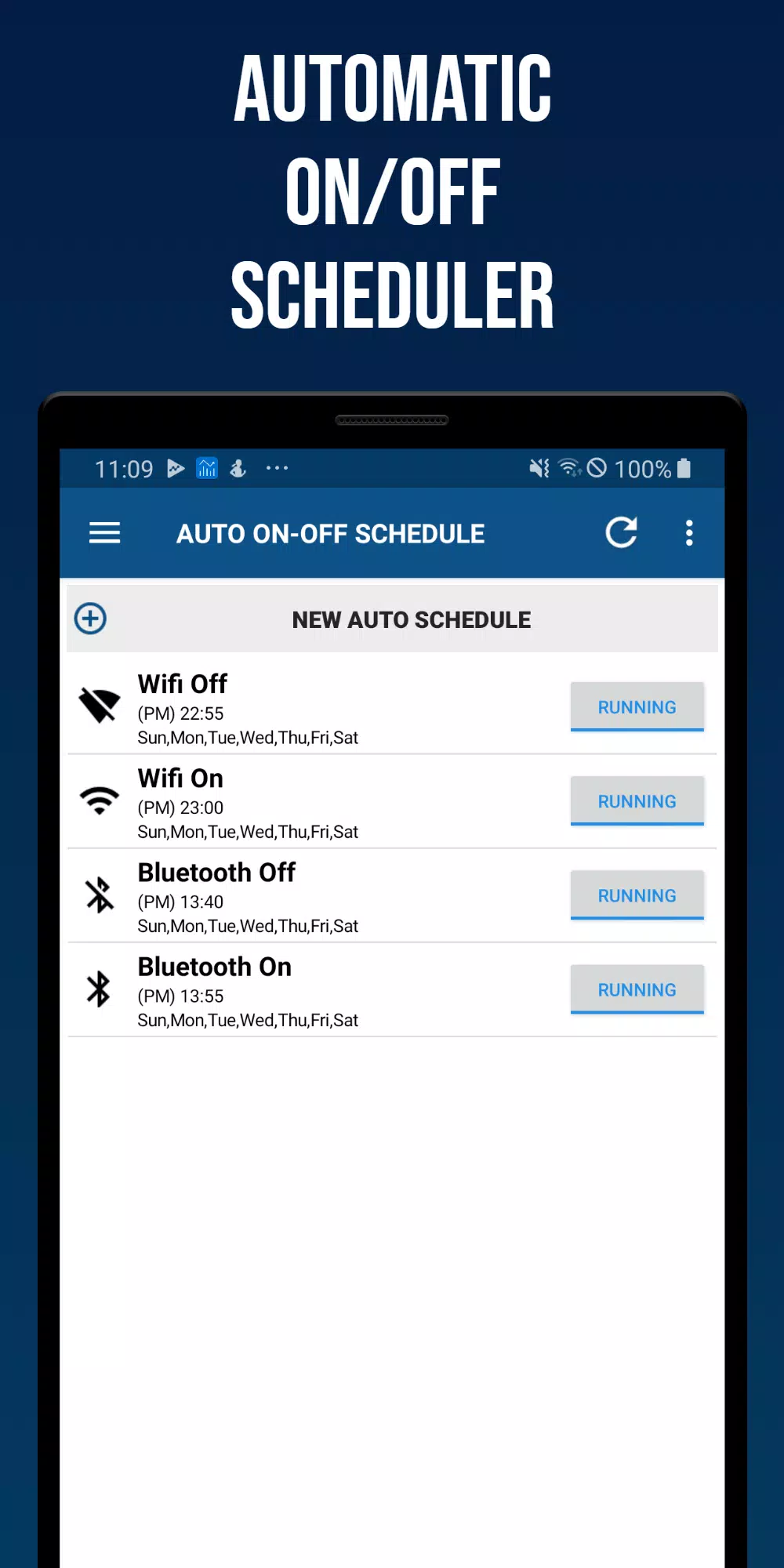
■ Auto On-Off Scheduler
A function to automatically turn Wi-Fi, Bluetooth, vibration, sound, screen brightness, auto-sync, and screen rotation on or off based on a scheduled day and time.
■ Settings
Configure status bar options and reset app settings.
■ Home screen widgets
- (4X1) Smart Quick Settings Widget 1
- (4X1) Smart Quick Settings Widget 2
- (4X2) Smart Quick Settings Widget 3
Smart Quick Settings Screenshots
Reviews
Post Comments
Trending Games
Trending apps




![NULL [Remastered]](https://imgs.39man.com/uploads/71/1719651062667fcaf6c483b.png)







Topics
More
Top-Rated Productivity Tools to Boost Your Workflow
Mind-Bending Puzzle Games for Android
Best Productivity Apps to Boost Your Efficiency
Offline Puzzle Games to Play Anytime
Explore the World of Arcade Games
Best Casino Games Online
Beauty Apps: Your Guide to Stunning Looks
Essential Other Apps for Your Phone
Latest Articles
More