


Application Description
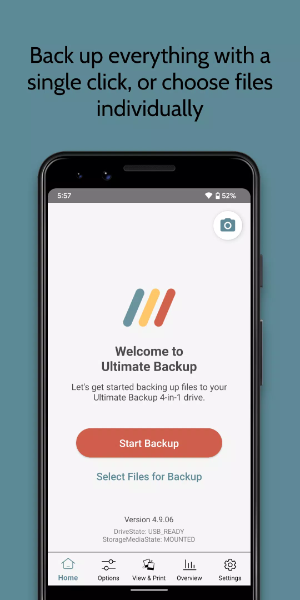
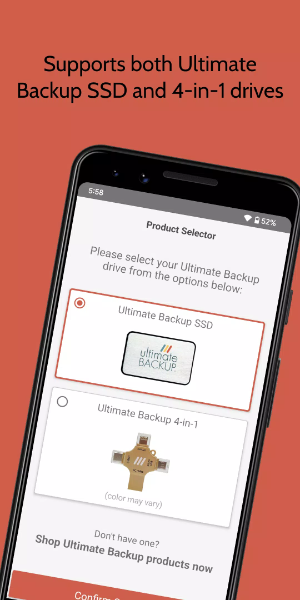
Ultimate Backup provides simple file storage solutions, compatible with both the Ultimate Backup SSD and the 4-in-1 Hard Drive. Whether you're running out of space or switching to a new device, it's essential to protect your precious memories. With Ultimate Backup, you can securely store and organize photos and contacts, keeping them safe while making room for new experiences.
Key Features of Ultimate Backup:
- Portable and Travel-Friendly: Perfect for those on the go, Ultimate Backup is built to travel with you, keeping your data secure and available anywhere.
- Free Up Device Space: Back up your device to Ultimate Backup safely, then delete photos and videos from your phone to free up storage, knowing your files are protected.
- Simple Setup: Ultimate Backup is easy to use—just plug it in. There are no complicated settings or ongoing subscriptions to worry about.
- Works with Most Devices: Ultimate Backup supports a wide range of phones and computers, automatically detecting your device to simplify backups and sharing within your family.
- Secure and Private: Your files stay private and secure with Ultimate Backup's portable storage, away from unauthorized access.
- Easy Access and Sharing: Connect the drive to any device to view, manage, or share your files instantly. It's a simple way to show photos or videos stored on your computer or other gadgets.
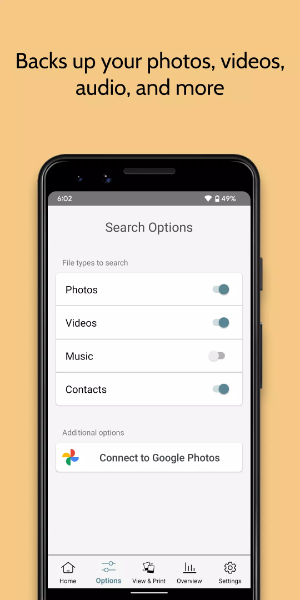
- Backup and Restore: Whether you're getting a new phone or recovering from a device issue, easily move photos, videos, and contacts between devices with Ultimate Backup's intuitive backup and restore tools.
Pro & Cons:
Pros:
Reliable Backup Solution: Ultimate Backup gives you a dependable way to protect important data like photos, videos, and contacts, keeping them secure and within reach.
Easy Setup and Use: Users like how simple it is to set up Ultimate Backup, requiring little technical know-how and no monthly costs.
Portable and Convenient: Its portable design makes it easy to carry and access files across different devices, great for travelers and households.
Universal Compatibility: It works with various mobile and desktop systems, ensuring it fits with your devices and makes sharing straightforward.
Privacy and Security: Ultimate Backup focuses on keeping your data private and guarded against unauthorized access.
Cons:
Storage Limitations: Depending on the model, storage space may be limited, which could mean managing your files carefully or opting for a higher-capacity version.
Transfer Speed: While usually efficient, data transfer speeds can vary based on your device and connection, which might slow things down occasionally.
How to Install:
- Download the APK: Get the APK file from a trusted source, 40407.com.
- Enable Unknown Sources: On your device, go to Settings, then Security, and allow installation from unknown sources.
- Install the APK: Find the downloaded APK file and follow the on-screen steps to install it.
- Launch the App: Open the app and start using it.
Ultimate Backup Screenshots
Reviews
Post Comments
Trending Games
Trending apps





![A Father’s Sins – Going to Hell [Ch. 7 Public] By Pixieblink](https://imgs.39man.com/uploads/67/1719578270667eae9eb6a75.jpg)






Topics
More