
Application Description
Inkpad Notepad & To Do List is a simple, intuitive application for capturing notes and managing tasks. It offers reliable autosave to protect your work, supports checklists, and provides powerful search to find notes quickly. Your notes stay accessible everywhere with seamless cross-device sync, secure online backup, and web browser access. An integrated AI chat assistant boosts productivity by helping with editing, brainstorming, and learning. Premium features like PIN protection and Note History deliver added security and control.
Features of Inkpad Notepad & To Do List:
⭐ Autosave Notes
⭐ Checklists & To-Do Lists
⭐ Search Notes
⭐ Sync Across Android & iOS Devices
⭐ Secure Online Backup & Restore
⭐ AI Chat Assistant for smart editing, brainstorming, and learning
How to Use This App:
Download and Install: Get the app from your device's app store.
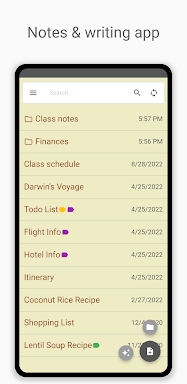
Open the App: Launch Inkpad and explore its clean interface.
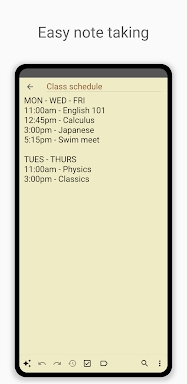
Create a New Note: Tap the add button to start a new note or to-do item.
Use the AI Assistant: Engage the AI chat for smart editing and idea generation.
Organize with Checklists: Convert notes into checklists to track tasks.
Search Notes: Use the search bar to quickly locate any note.
Sync Across Devices: Set up an account to keep notes updated on all your devices.
Secure Backup: Enable online backup to safeguard your data.
Access from Browser: View and edit notes via InkpadNotepad.com in any web browser.
Upgrade to Premium: Unlock premium features like PIN Code and Note History for enhanced functionality.
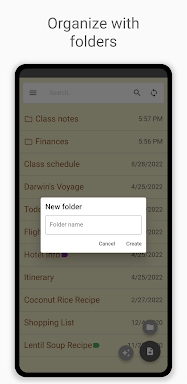
Inkpad Notepad & To do list Screenshots
Reviews
Post Comments
Trending Games
Trending apps




![A Father’s Sins – Going to Hell [Ch. 7 Public] By Pixieblink](https://imgs.39man.com/uploads/67/1719578270667eae9eb6a75.jpg)







Latest Articles
More